• Member Section
  • Support
  • About Us
  • Blog

fpPathfinder

Helping Diligent Advisors Ensure They're On The Right Planning Path

  • Member Section
  • Support
  • About Us
  • Blog
  • Become a Member
    Log In

Incorporating fpPathfinder Resources To Support Your Financial Plans

March 26, 2021
Best Practices, How Advisors Use The Checklists and Flowcharts

Do you send PDF reports to your clients that summarize their financial plan? Most of the major financial planning tools (eMoney, MoneyGuide, and Right Capital) offer a variety of report options to help illustrate how well the client is on their road to reaching their financial goals. But how do you conclude the report? Do you communicate the next steps in the planning process or the next conversation for the client to have with you? If you’re like many advisors, the report ends and the client has to go back to the body of the email to see what next steps are.

Some advisors have found that their own reports ended too abruptly for their liking. For them, they felt it created a disjointed experience for the client of jumping from one piece of communication to another. They wanted to end the report by transitioning the conversation into the next round of planning or to plant a seed for future planning discussions. And they did this by leveraging fpPathfinder’s resources.

In these cases, advisors are adding key checklists and flowcharts to the end of the financial planning reports.

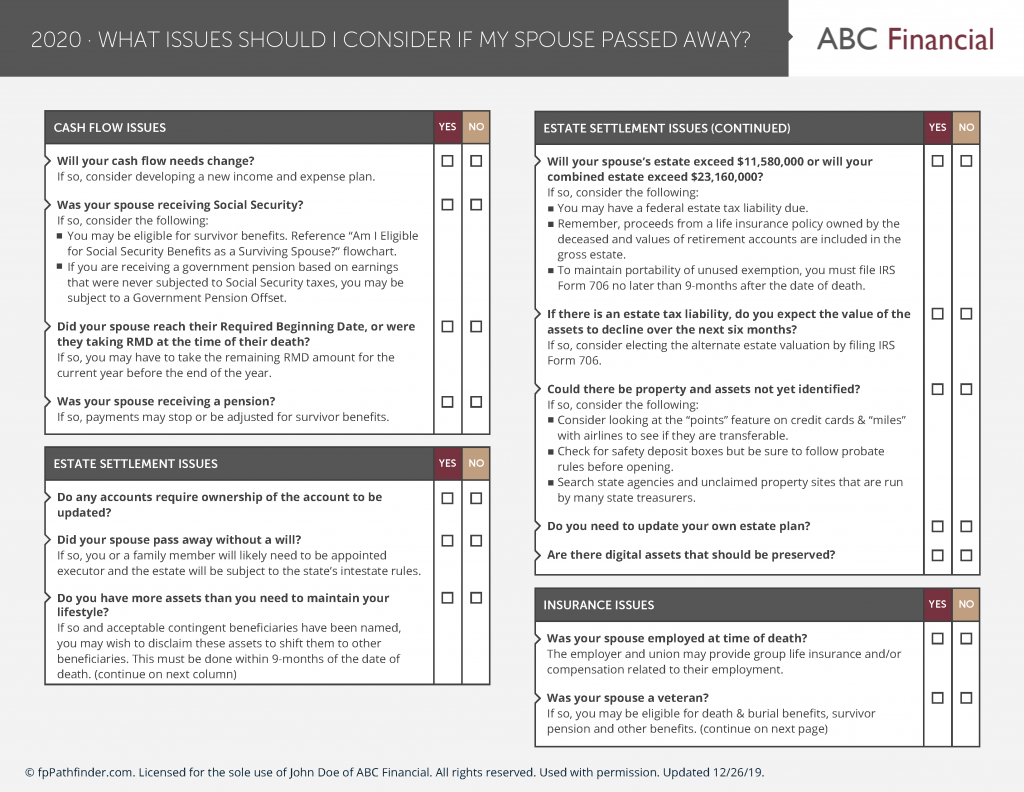
Here is an example to consider. An advisor with ABC Financial ran a Holistiplan tax report for their client. The Holistiplan report clearly uncovered a lot of interesting planning opportunities for the client to consider, especially a possible Roth conversion opportunity. The advisor knew that this would be the next conversation to have with the client and included fpPathfinder’s “Should I Consider Doing A Roth Conversion?” flowchart as an addendum to Holistiplan’s report. But the advisor also knows that their client is in the process of retiring and needs additional guidance (beyond tax analysis). To transition the conversation, the advisor also included the “What Issues Should I Consider Before I Retire?” checklist.

Download an example to see how Holistiplan and fpPathfinder reports can be combined.

Now, the advisor can draft an email to the effect of:

“Dear Mr and and Mrs Doe,

It was a pleasure talking with you last week. Attached is the tax report we discussed. There are a number of items in here that I think we should discuss further. Specifically, I think we should consider a Roth conversion this coming year. As an addendum to the report, I have included a flowchart that outlines some of the considerations.

Finally, I have attached a checklist that outlines several planning issues for people about to retire that I’d like to address with you at the next meeting.

Thanks so much and I look forward to hearing from you.”

Reports structured in this way are stand-alone. They don’t need additional PDFs or details in the body of the email. The email serves as the executive summary and draws the client into a clear communication path. Bonus points if you add a customized letter as page 1 or a table of contents!

Sign Up to Receive Updates

Join our mailing list to be updated as we release new flowcharts and checklists that might be of interest.
  • This field is for validation purposes and should be left unchanged.

Categories

  • Service Guides – Linked
    • Guide Bundles
    • Timely Conversations
    • Age-Related Planning
    • Money In Motion
    • Top 10 Most Popular Resources
    • Client Service Calendar
  • How Advisors Use The Checklists and Flowcharts
    • Best Practices
    • Getting Started
    • Marketing
    • Planning Management
  • Announcements
    • Company Announcements
    • Resource Additions
    • Feature Annoucements
    • Updated Resources
  • In The Press

Become a Member

See how our flowcharts and checklists help you navigate complex financial planning questions.
Become a Member

What Customers Are Saying About Us

Hundreds of other advisors are actively using fpPathfinder. Read what those lovely people have to say about us.
“I had my own internal set of workflows, but by piggybacking fpPathfinder, I've saved who knows how many hours. It's a great product and I'll be a subscriber for years.”
— An advisor in Texas
“I love the new "share a link" feature. This has made it much easier to send flowcharts and checklists to our clients. Thanks for the add!”
— An advisor in Texas
“I can't say how much I love the product. It is just great. I recommend it to all my colleagues.”
— Robert, an Advisor in Colorado
“The flowcharts have helped a lot in recent discussions with the changing markets, providing us with confidence that our clients are getting the best, most accurate information.”
— Matthew, an advisor in Georgia
“Love the Redtail integration - it’s been instrumental in my prep for my client reviews. I’m finding my self being over-prepared because of the robust lists which is great.”
— Don, and advisor in California
“The flowcharts give me a lot of confidence. Candidly, I sometimes worry that I might miss something when planning for my clients. The flowcharts give me confidence that I won't.”
— An advisor in Virginia
“This is one of my best subscriptions I pay for!”
— Sean, an advisor in California
Become a Member
  • Become a Member
  • Member Section
  • Blog
  • TOS & Privacy Policy
  • Suggest a Flowchart or Checklist
  • Careers: We’re Hiring

Recent Blog Posts

  • A Client Engagement Strategy
  • Lease Or Buy: The Automobile Question
  • Home-Specific Bundle: 3 Guides
  • Pump Up Your Marketing

Sign Up to Receive Updates

Join our mailing list to be updated as we release new flowcharts and checklists that might be of interest.
  • This field is for validation purposes and should be left unchanged.

Have a question, idea, comment, or see an error? We want to know! Email us at support@fppathfinder.com!

Copyright © 2026 fpPathfinder, All rights reserved.

Easily and quickly provide guidance to your clients. Then properly document your conversation or meeting.

Upgrade to Premier to use an interactive checklist and integrate with Redtail and Wealthbox.

Learn More

Feature your expertise by putting flowcharts and checklists with your brand in front of your clients and prospects.

Upgrade to Deluxe or Premier to white label the resources.

Learn More

Save time by downloading all the checklists and flowcharts with one click.

Upgrade to Deluxe or Premier to download all the resources with one click.

Learn More

Close
Retry